


Table of Contents
Introduction: Why AI Tools Are Reshaping Software Development
If you speak with any engineering lead in 2025, you’ll hear the same thing: delivery speed is now the new defining metric of engineering excellence. The quicker a team can turn an idea into productive code, the better its competitive advantage. The tradeoffs between quality, speed, and developer satisfaction have always been complex, but now that we have AI, the landscape has fundamentally changed.
Development tools engaging AI, like GitHub Copilot, Replit, and Lovable, are revolutionizing how developers build, debug, and deploy software. They’re fully integrated intelligent partner that can compress weeks of work into days.
According to GitHub’s 2025 study, more than 20 million developers now actively use Copilot. Replit has continued to grow into a global hub of cloud development with 20M+ users and $227.6M in funding, and Lovable – the newest entrant, shocked the world by achieving $4M ARR just four weeks after launch.
Developer Productivity and Speed as Top Priorities in 2025
The complexity of the software lifecycle has reached the point that human speed alone is no longer sufficient to enable adequate velocity for modern software development. The rise of continuous deployment, microservice sprawl, and short sprint cycles has made velocity and delivery continually challenging issues to meet.
This evolution is why today almost all CTOs are treating the newly popular AI tools as core productivity infrastructure rather than an optional lifestyle gadget. Developer satisfaction, cycle time, and onboarding speed are now pragmatic performance key performance indicators (KPIs) and tools such as Copilot (from Github), Replit, and Lovable are central to this shift.
AI Coding Assistants as Part of a Modern Workflow
AI pair programming is not just about typing less; it’s about thinking faster. AI pair programming assistants can interpret intent, auto-suggest solutions, and ease the friction of early stage problem solving.
In practice:
- Copilot can accelerate line-level coding and test generation.
- Replit allows developers to collaborate on code in real-time in the Cloud.
- Lovable allows teams to go from an idea written in natural language to a full stack app that is deployable.
All three tools fundamentally redefine what “developer velocity” is, and even further, should be.
Overview of Leading AI Development Tools
1. GitHub Copilot: The In-IDE AI Pair Programmer
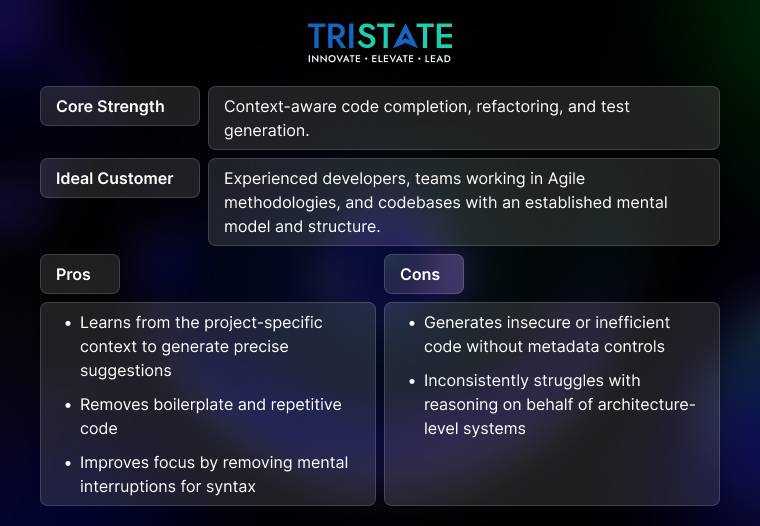
When GitHub introduced Copilot, many thought it was just a fancy autocomplete. Fast-forward to today, and Copilot is embedded in workflows from startups to enterprise pipelines.
Core Strength: Context-aware code completion, Refactoring, and Test generation.
Ideal Customer: Experienced developers, Teams working in agile methodologies, and Codebases with an established mental model and structure.
Pros:
- Learns from the project-specific context to generate precise suggestions
- Removes boilerplate and repetitive code
- Improves focus by removing mental interruptions for syntax
Cons:
- Generates insecure or inefficient code without metadata controls
- Inconsistently struggles with reasoning on behalf of architecture-level systems
Copilot’s greatest value lies in liberating developers from mental fatigue. Developers can spend less time rewriting repetitive logic and more time on design, edge cases, and optimization.
2. Replit: The Collaborative Cloud IDE with AI at its Core
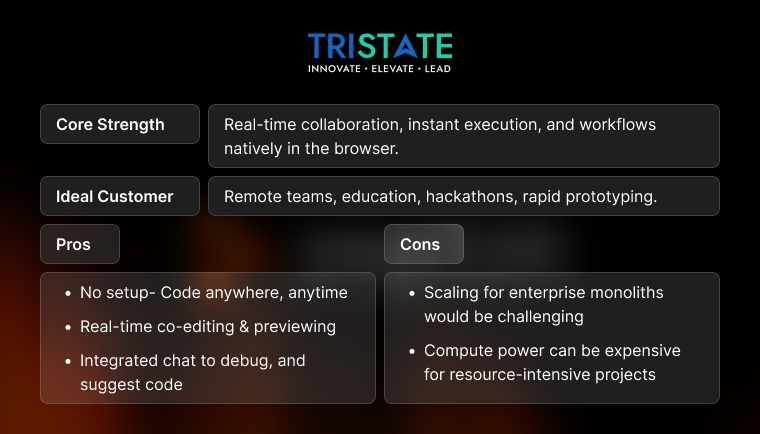
Replit has transcended from simply being an online coding playground. Its AI assistant, known as “Ghostwriter” and cloud IDE are now a juggernaut for enabling distributed collaboration.
Core Strength: Real-time collaboration, Instant execution, and workflows natively in the browser.
Ideal Customer: Remote teams, Education, Hackathons, Rapid prototyping.
Pros:
- No setup- Code anywhere, anytime
- Real-time co-editing & previewing
- Integrated chat to debug, and suggest code
Cons:
- Scaling for enterprise monoliths would be challenging
- Compute power can be expensive for resource-intensive projects
Replit is essentially the “pair programming” concept but in the cloud and with AI, allowing teams of any size to code, test and deploy, all without ever using local environments. That’s a huge boon for onboarding speed and remote velocity.
3. Lovable: The Chat-First Full-Stack App Builder
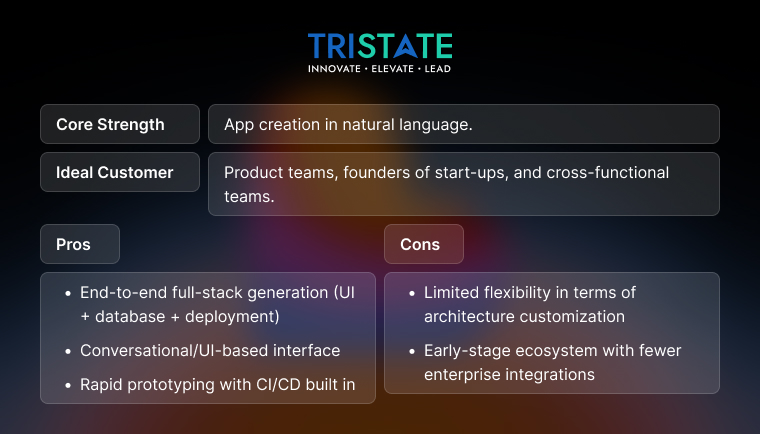
Lovable is the modern generation of low-code AI app builders- a tool where you describe the app, and it delivers the app, complete with the backend, frontend, and deployment.
Core Strength: App creation in natural language.
Best for: Product teams, Founders of Start-ups, and Cross-functional teams.
Pros:
- End-to-end full-stack generation (UI + database + deployment)
- Conversational/UI-based interface
- Rapid prototyping with CI/CD built in
Cons:
- Limited flexibility in terms of architecture customization
- Early-stage ecosystem with fewer enterprise integrations
Lovable has already surpassed $4M ARR within just four weeks of launch, demonstrating tremendous demand for “no-code that actually ships” and a unique position in bridging the gap between PMs and devs so that ideas can become functional prototypes overnight.
| Feature / Focus Area | GitHub Copilot | Replit | Lovable |
| Type | AI code assistant | Cloud IDE with AI | Low-code AI app builder |
| Primary Focus | Coding & refactoring | Collaboration & execution | Full-stack generation |
| Best For | Pro devs in IDEs | Remote & distributed teams | Rapid MVPs |
| Learning Curve | Moderate | Low | Very low |
| Integration Level | IDE-based | Browser-native | End-to-end |
| Speed Boost | ~55% faster coding | ~40% faster onboarding | ~70% faster prototyping |
Benchmarks: Measuring Speed and Productivity Gains
Quantifying the productivity gains of Copilot and Lovable on a population of software developers involves more than other anecdotes about enthusiasm for the tools. The real question engineering leaders will be asking in 2025 is, “How much time can I really measure these tools save across the full SDLC, from scaffolding to deployment?”.
To answer that question, we compared the three leading AI development tools GitHub Copilot, Replit, and Lovable, based on three practical tasks most development teams do every week. The results below incorporate Github’s Copilot productivity data for 2025, Replit’s usage data, and feedback from early Lovable adopters from product-led teams.
Task 1: Scaffolding Applications (Replit & Lovable)
This is the first area where developers see the biggest bang for their {{buck}} with AI tools: project setup.
For most developers, bootstrapping a new application life cycle typically means creating some project directories, installing some dependencies, configuring a CI/CD pipeline, and implementing some form of authentication for your new application. None of these tasks are technically “hard,”
| Scenario | Manual Setup Time | Replit | Lovable |
| Basic CRUD app | 30 min | 7 min | 3 min |
| Authentication setup | 25 min | 10 min | 2 min |
| CI/CD integration | 20 min | 8 min | Built-in |
Outcome:
Replit cuts setup time overhead by about 70% primarily because of preconfigured environments and instant hosting capabilities. Developers no longer have to worry about issues specific to the local environment or mismatches with dependencies, both of which are infamous time killers with many new projects.
Lovable takes this a step further, auto-generating entire app stacks (frontend + backend + database) with production-ready deployment configurations in a matter of seconds. A developer can go from an idea to a functioning prototype in less than ten minutes — something that took several hours even for a high performing, experienced team when done manually.
But aside from speed, the primary differentiator is Lovable’s low-code interface. Lovable’s low-code interface combines AI-assisted generation with human-guided refinement, allowing developers to easily review the automatically generated code, customize APIs, deploy the code, and instantly preview the app live from their Lovable workspace.
This hybrid flow makes it simple for non-technical founders to connect with professional developers, making it one of the most disruptive low-code
Task 2 – Writing and Refactoring Code (the core strength of Copilot)
An internal GitHub study has shown that developers using Copilot get on average a 55% increase in code completion speed over traditional IDE workflows. But the benefits are much more than just autocompletion.
Developers say Copilot is particularly useful for:
- Writing repetitive test cases
- Applying common design patterns
- Translating pseudo code or comments into functional code
- Refactoring large legacy functions
Refactoring alone can take up to 40% less time than refactoring without Copilot, primarily because Copilot’s LLMs have been trained (now with project context through Copilot Workspace) to suggest the optimized block while maintaining logical integrity and preferred style conventions.
For Example:
developers who are refactoring legacy JavaScript codebases to eliminate callback functions are taking advantage of Copilot’s contextual awareness, in that not only does it accurately write the new code, it also applies the same predictable formatting and variable name conventions across code files. That is the exact kind of subtle, quality-preserving speed that senior engineers appreciate.
The productivity gain of GitHub Copilot is more than just speed-completion time, it is the reduction in the “micro-friction” of coding. The seconds saved writing individual functions can begin to multiply into hours saved each sprint.
Task 3: Debugging and Test Generation (Copilot & Replit)
Debugging is a stage where even the best teams lose time, and often morale. Both Copilot and Replit approach this friction point from different angles.
| Benchmark Area | Manual Effort | With Copilot | With Replit |
| Unit test creation | 40 min | 15 min | 20 min |
| Debugging runtime errors | 60 min | 35 min | 30 min |
| Fix verification | 30 min | 15 min | 12 min |
Copilot assists developers in quickly identifying and fixing problems by providing concise, contextually aware explanations of errors, along with suggested test cases for missed branches. Replit, on the other hand provides on-the-fly feedback loops through live previews of code, as well as collaborative debugging sessions, no need to run a local recompile or sift through 12 different tools.
Coupling Copilot’s self-contained suggestions with Replit’s real-time capabilities and runtime environments, teams have been able to cut the debug loop by 35-40% on time tracked engagement with teams.
Once again, shorter feedback cycles result in more throughput per sprint, particularly for Agile teams that focus on “time to merge” as a core productivity hybrid metric. Teams adopting concerted Copilot + Replit based workflows are experiencing quicker code review leads
Task 4: Deployment and Continuous Integration (Lovable & Replit)
Although deployment was not originally part of the benchmark we conducted, it is worth mentioning here, as both Replit and Lovable treat it as a first-class citizen. Lovable’s apps are auto-deployable with built-in hosting to remove friction from a typical CI/CD setup process. Replit provides integrated environments that sync with GitHub for creating simple push-to-deploy pipelines. These integrated environments help reduce dev-ops overhead in small to mid-sized teams by 50-60%.
Where Each Tool Shines
1. Copilot: The Daily Companion for Developers
Copilot is primarily for use in well established codebases where speed and context are important. It is great at automating repetitive logic but with all the same caveats around accountability as humans. A great combination for teams using speed while maintaining an adequate level of code quality.
2. Replit: The Collaboration Engine
Replit shines in distributed and hybrid work environments. Its live-coding experience nullifies any recurrent problems with different participants keeping an environment up and running and allows rapid rates of mentoring, learning and pair programming.
3. Lovable: The Prototype Powerhouse
Lovable is conversational which allows teams to quickly “build” prototypes, ideal for teams looking to validate ideas or build internal tools. It’s essentially “chat-driven full-stack development”.
4. Hybrid Use Cases – When 1 + 1 + 1 > 3
This tri-tool setup is what a modern AI development loop looks like – a continuous cycle of development, refinement, and delivery.
Costs, Risks, and Security Considerations
Pricing Models and Hidden Costs
| Tool | Pricing (2025) | Notes |
| Copilot | $10–19/month per user | Enterprise plan includes policy control |
| Replit | Free + Ghostwriter ($10/month) | Compute costs vary |
| Lovable | Freemium (pricing evolving) | Includes hosting for prototypes |
Possible Hidden Costs Include:
- The possible over-reliance on AI code generation
- Potential increase in PR review overhead
- The cost of the storage and computation that together is again overhead incurred for artificially generated assets
CTOs should consider this in total cost of ownership (TCO) when assessing a return on investment (ROI).
Code Quality, Maintainability, and Review Overhead
Any AI code is going to need to be validated by a person.
Some best practices to consider:
- Develop clear and non-negotiable code reviews for every line of code suggested by an AI
- Implement static analyzers, such as SonarQube or CodeQL
- Use validation metrics for test coverage, to understand potential efficiency of the same code written by AI
An individual or a development team that accepts every line of code written by an AI blindly may one day face technical debt, a reality most senior engineers should always have in the back of their minds.
Security, IP Ownership, and Compliance Risks
Security is a totally legitimate fear of AI coding.
The risk may include:
- Rogue data leaking through your unfiltered prompt
- IP issues associated with reuse of open-source code
- Possibly not complying in regulated spaces
To help avoid:
- Implementing AGI usage policies internally
- Never enter sensitive credentials into your prompts
- Adapt an enterprise AI plan that includes code provenance tracking
To gain a more depth of AI governance frameworks definitions, consider,
For deeper understanding of AI governance frameworks, explore AI Model vs AI Agent and Data Analytics in the Airline Industry for parallel industry use cases.
A Practical Hybrid Workflow for Development Teams
Adopting AI is essentially a redesign of a workflow. Below is a practical hybrid model that many engineering teams are going to use in 2025.
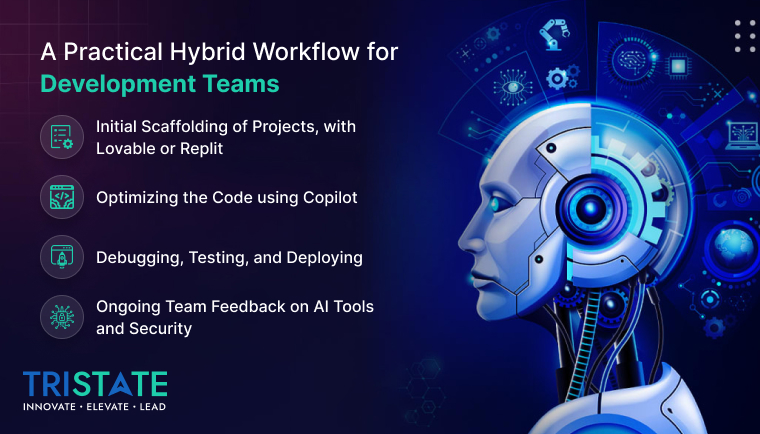
Phase 1: Initial Scaffolding of Projects, with Lovable or Replit
You can either use Lovable, to scaffold an app in seconds, or use Replit to create a collaborative sandbox and export the resulting repo to GitHub.
Phase 2: Optimizing the Code using Copilot
Move your development into VS Code or Jet-Brain IDE’s where Copilot can help optimize your code, suggest test coverage, and control repetitive activities.
Phase 3: Debugging, Testing, and Deploying
Utilize Replit’s live console, or set up CI/CD pipelines through GitHub Actions. To accelerate test validations, complement AI test generation with your automated QA.
Phase 4: Ongoing Team Feedback on AI Tools and Security
Set up dashboards to monitor AI-driven KPIs on code quality, deployment frequency, and PR review cycles.
Checklist for Safe and Efficient AI Adoption
- Establish unambiguous functions for AI tools in your software development lifecycle (SDLC).
- Guarantee a human-in-the-loop review process to assure quality and accountability.
- Put automated security and code-quality checks in place, prior to deployment.
- Ensure all key metrics, including cycle time, defect density and developer satisfaction, are being monitored.
- Train all development team members in AI ethics and tool usage.
For enterprise teams scaling AI workflows, this guide on how AI can transform logistics and supply chain management is a valuable reference on maintaining both efficiency and governance alignment.
KPIs are Helpful to Measure the Effectiveness of your AI Tool
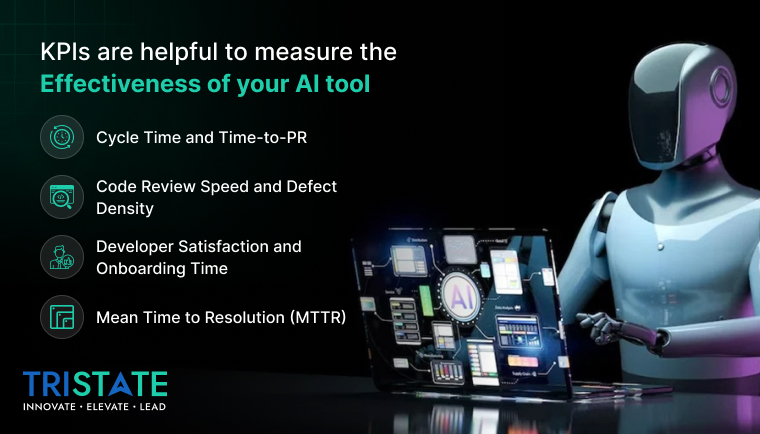
1. Cycle Time and Time-to-PR
Look at the reduction in cycle time; teams using Copilot can experience a 50% reduction in cycle time due to less context-switching and faster coding.
2. Code Review Speed and Defect Density
Keep an eye on speed of merging, to see if it makes changes to defect density (the number of defects per lines of code repo) more stable; an upward trend in defects means you need more control in reviewing.
3. Developer Satisfaction and Onboarding Time
Replit’s browser-first environment can often decrease onboarding from days to hours, providing access to non-developers into the build loop increases developer satisfaction
4. Mean Time to Resolution (MTTR)
With AI-supported debugging, MTTR for coding-related problems is cut by 30-35%, enabling a faster return to production.
Conclusion: The Future of AI-Powered Development Workflows
Key Takeaways on Copilot, Replit, and Lovable
- Copilot supercharges developer flow — boosting daily productivity.
- Replit makes cloud-native collaboration frictionless.
- Lovable brings low-code simplicity to full-stack AI app creation.
Individually, they address different friction points; collectively, they deliver 10x faster software cycles with measurable ROI.
AI is eliminating bottlenecks that slow or impede innovation. The teams that learn to blend human creativity with machine speed will define the next era of software.
Frequently Asked Questions (FAQ)
-
For a solo developer, are Copilot, Replit or Lovable better?
- ● Solo devs: Copilot is crucial for expediency and context at line-level, as well as being constant back-up.
- ● Students or learners: Replit for direct collaboration, and instant visual feedback.
- ● Founders / PMs: Lovable for pulling together an app quickly, even without a really deep understanding of code.
-
Can AI-generated code be trusted in production?
Yes. But it should be validated. The human review along with automated testing is critical. Think of AI as a productivity multiplier, but never as a substitute for developer judgement.
-
How do the costs measure up across these tools?
Copilot and Replit offer predictable monthly pricing, and Lovable mostly remains freemium, in its more scalable version, there may be more tiers in pricing.
-
Should your team take on all three, or just one?
A hybrid approach will gain the most value:
- ● Lovable provides scaffolding work,
- ● Copilot for refinement, and
- ● Replit is for collaboration and iterating live.
Together, they complete the entire SDLC continuum.


